


Articles
Read our latest articles and connect with us on Linkedin to know better how Blyx features are.
Home → Resources → Articles
OUR ARTICLES
Transparency and Behaviour
It helps us understand them.
Whether it's safety, wellbeing or operational performance, the first step isn't deciding what to change—it's understanding what's really happening.
Discover how Blyx uses everyday interactions to create meaningful insights that help organisations move from reacting to symptoms to understanding the cause.
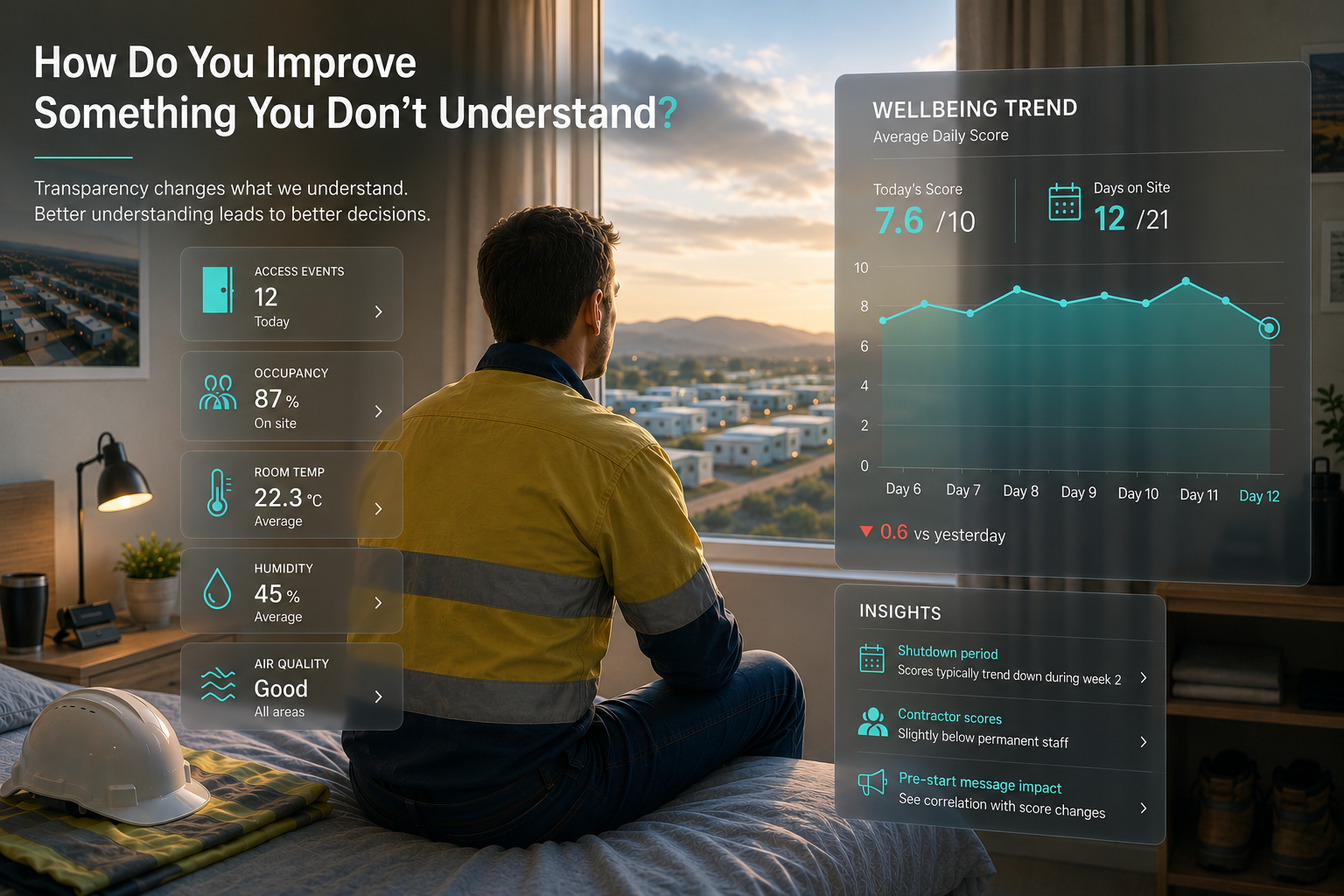
How Do You Improve Something You Don't Understand?
Transparency is valuable because it changes what we understand. Better understanding leads to better decisions.
Imagine two people walk into a doctor’s surgery.
Both say exactly the same thing.
“I’ve got a cough.”
That doesn’t tell the doctor very much.
One has a temperature.
The other has asthma.
One has been sick for two days.
The other for six weeks.
The symptom is the same.
The diagnosis isn’t.
Doctors don’t prescribe treatment because someone has a cough.
They ask questions.
They look for more symptoms.
They diagnose.
Only then can they decide on the most effective treatment.
Facilities aren’t much different.
Someone says they don’t feel safe.
Someone reports inappropriate behaviour.
Someone complains about their room.
These are all symptoms.
The challenge isn’t recognising that something is wrong.
It’s understanding why.
Without understanding the environment, we’re often treating the symptom rather than the cause.
What Does "Feeling Safe" Actually Mean?
Recently I asked a few friends whether they felt safer travelling in an Uber than a taxi.
I wasn’t trying to prove a point.
I was simply curious whether they saw it the same way I did.
One friend loved that every trip was recorded and easy to share with family or friends. For her, knowing someone always knew where she was made her feel safer.
Another friend completely surprised me.
She actually preferred taxis.
For her, safety had nothing to do with journey tracking. She valued the additional licensing and accreditation required for taxi drivers because it gave her greater confidence in the person behind the wheel.
Neither answer was wrong.
They were simply defining safety differently.
That conversation reinforced something we’ve believed while designing Blyx from the beginning.
If people experience safety differently, then understanding those experiences becomes just as important as deciding what technology to install.
The same solution won’t always solve the same problem.
Understanding Before Solving
Many organisations genuinely want to create safer, better environments.
They introduce new policies.
More training.
More lighting.
More security.
More cameras.
Some of those changes will absolutely help.
Others may have little impact at all.
Not because they were bad ideas.
But because they weren’t solving the problem people were actually experiencing.
The first step shouldn’t always be asking,
“What should we change?”
Sometimes the better question is,
“What are we not understanding yet?”
Looking Beyond the Door
One of the biggest challenges with understanding any environment is participation.
Most people already have more apps than they want. Asking them to download another application simply to answer surveys or provide feedback rarely delivers consistent engagement.
Blyx approaches this differently.
Because the app is already part of everyday access to the facility, there’s no need to introduce another platform, another login or another habit. Instead of asking people to adopt something new, Blyx leverages something they’re already using.
That creates a unique opportunity.
Whether someone is an employee, contractor, shutdown worker or a short-term guest doesn’t matter. If they’re staying within the facility, they’re already part of the same platform and can contribute to understanding how that environment is performing.
Rather than collecting information from isolated groups or relying on occasional surveys, everyone becomes part of the same picture.
Only then does access control become much more than a way of opening doors.
When it’s designed to collect the right information, it has the potential to help facilities better understand how people experience the environment around them.
Unfortunately, not every electronic access control system is designed this way. Many simply replace a physical key with a digital credential, without creating any additional understanding of what is happening across the site.
Blyx was designed differently.
Rather than treating access control as the end goal, we see it as the beginning of understanding the facility.
Imagine if, after accessing your room at the end of the day, the app simply asked:
“How was your day?”
One question.
One score.
Optional comments.
Completely anonymous if preferred.
On its own, that interaction doesn’t tell you very much.
But repeated across hundreds of guests, every day, patterns begin to emerge.
Do people feel differently during shutdown periods?
Has a recent initiative genuinely improved the experience of staying on site?
Do certain times of the year create different challenges?
Or perhaps today’s scores suddenly drop across the facility.
Did something happen on site?
Was there a change in the atmosphere?
Did a message delivered at pre-start affect how people felt throughout the day?
Or maybe the opposite happened, and a visit from leadership or a positive site achievement lifted morale.
Instead of waiting weeks or months for issues to surface, organisations gain a much earlier understanding of how the environment is changing and can start asking better questions while those changes are still happening.
Instead of relying solely on assumptions, isolated incidents or annual surveys, facilities begin building a much clearer understanding of the environment they’re responsible for.
Because the value isn’t in collecting more information.
It’s in understanding what that information is telling you.
From Symptoms to Solutions
Transparency can influence behaviour.
Sometimes because people know their actions are visible.
But perhaps its greatest value is something else entirely.
Transparency changes what we understand.
And better understanding changes the decisions we make.
For the people staying within a facility.
For the teams operating it.
And for the people sitting around the boardroom table deciding where to invest next.
Blyx isn’t here to tell organisations what “safe” should look like.
Every site is different.
Every workforce is different.
Every person’s experience is different.
Our goal is to help organisations better understand the environment they’re responsible for, so they can make informed decisions, measure the effectiveness of those decisions and continue improving over time.
Because if we can see more of the symptoms…
We have a much better chance of solving the real issues.
Seeing What Others Can’t
Turns out many of us were closer to 3,000. 😅
Before GPS, transport companies thought they knew why deliveries were late.
Before Netflix, movie studios thought they knew what people liked watching.
Before Tesla, manufacturers thought they knew what was happening with their vehicles.
The funny thing is that most industries weren't missing answers.
They were missing data.
Facility management is no different.
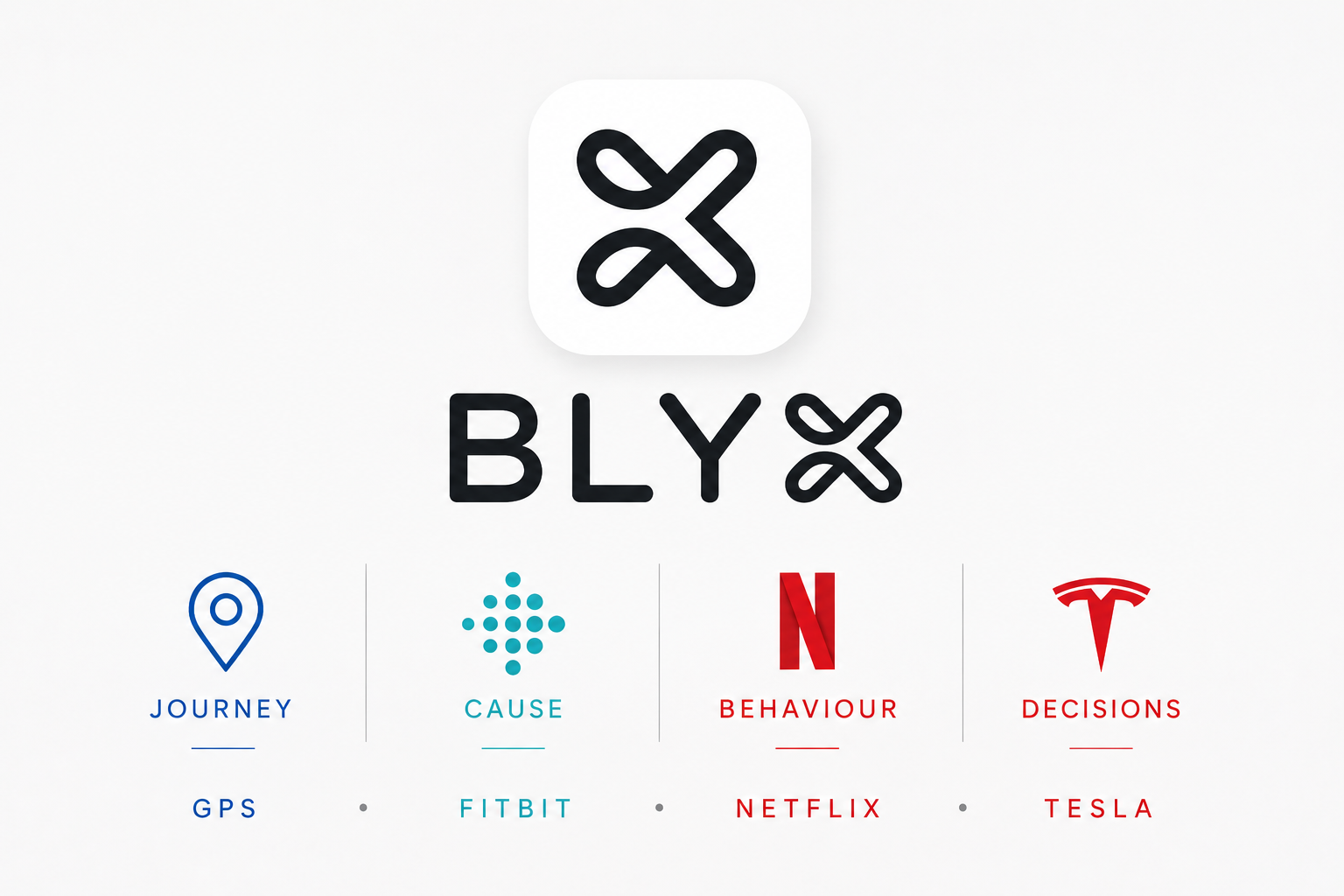
We've put together an article exploring what GPS, Netflix, Fitbit and Tesla can teach us about managing buildings, accommodation villages and facilities.
Turns out the biggest opportunities are often hidden in things we can't see.
What GPS, Netflix, Fitbit and Tesla Can Teach Us About Facility Management
One of the hardest things to explain about Blyx is that it’s not really an access control system.
Yes, it controls doors.
But if that was all it did, we probably wouldn’t be writing this article.
What makes Blyx interesting isn’t the ability to lock and unlock a room. It’s the information that comes from understanding what is happening within a facility and putting that information into context.
That might sound a little boring at first.
After all, who gets excited about data?
The reality is that some of the biggest changes in industries over the last 20 years have happened because technology filled information gaps that nobody had a practical way of understanding before.
The technology itself was often the easy part.
The real value came from what people learned once they could finally see what was happening.
GPS Didn't Just Tell Us Where Vehicles Were
When most people think about GPS, they think about navigation.
The transport industry thinks about something very different.
Before GPS, a transport company generally knew when a vehicle left and when it arrived. If a delivery took longer than expected, there were usually plenty of theories available.
- Traffic.
- Roadworks.
- Weather.
- Vehicle issues.
- Driver behaviour.
The challenge wasn’t a lack of explanations.
The challenge was that nobody really knew what happened during the journey.
GPS filled that information gap.
For the first time, companies could see the actual story behind every trip. They could understand where vehicles spent time idle, which routes consistently took longer, where fuel was being consumed and how different drivers approached the same task.
The biggest benefit wasn’t knowing where a truck was at any given moment.
It was understanding what happened between departure and arrival.
That visibility allowed businesses to improve planning, support drivers more effectively and make decisions based on evidence rather than assumptions.
Facilities have similar information gaps.
Take housekeeping in an accommodation village.
Management knows rooms are being cleaned and guests are being serviced, but very few facilities understand the journey staff are taking to complete that work.
How often are housekeeping staff returning to supply rooms?
Which accommodation blocks take the longest to service?
Are staff spending unnecessary time walking back and forth between locations?
Could room allocations be adjusted to improve efficiency?
The purpose isn’t to watch staff.
It’s to understand the journey.
Perhaps larger trolleys would reduce trips back to storage areas. Perhaps consumables should be located closer to accommodation blocks. Perhaps room allocations could be grouped differently to reduce unnecessary movement.
Just like GPS, Blyx helps reveal what is happening between the start and finish of a task so facilities can make better decisions about how work is performed.
The 10,000-Step Goal Only Works Because Someone Started Counting
Most people know that exercise is good for them.
Most people also know they should probably get more sleep.
But before fitness trackers became popular, much of our understanding of personal health was based on assumptions.
“I’ve been really active this week.”
“I don’t think I’ve slept very well.”
“I feel exhausted today.”
Then wearable fitness trackers arrived and changed the conversation.
Suddenly people could see exactly how many steps they were taking, how long they were sleeping, what their heart rate was doing and how well they were recovering.
Something interesting happened.
People realised that how they felt wasn’t always an accurate reflection of what was actually happening.
Sometimes the reason you felt exhausted wasn’t because you’d had a bad day. It was because you’d unknowingly walked 18,000 steps.
Sometimes the reason you felt great wasn’t because of an extra gym session. It was because you’d finally had a good night’s sleep.
The technology didn’t make people healthier.
It helped them understand which factors were actually influencing the outcome they were trying to achieve.
Facilities face the same challenge.
Most operators know that mould is influenced by humidity, airflow and temperature.
Most know that extraction fans and air conditioners play an important role.
But how many actually know what is happening inside a room at 2am?
What happens after a guest takes a hot shower?
What happens when a room sits vacant during a humid week?
What conditions are present immediately before mould starts to appear?
Without data, facilities are often making decisions based on assumptions.
Blyx helps fill that information gap by monitoring room conditions over time and putting those conditions into context with occupancy and external weather patterns.
The goal isn’t to collect temperature readings.
The goal is to understand what is actually influencing room health so that the right actions can be taken.
Just like wearable fitness trackers, the value isn’t in the numbers themselves.
The value comes from understanding what those numbers mean.
Netflix Didn't Just Change Entertainment
Before streaming services, movie studios already had plenty of data.
They knew how many cinema tickets were sold.
They knew how many DVDs were purchased.
They knew how many rentals took place.
What they didn’t know was what happened afterwards.
Did people finish the movie?
Did they stop watching halfway through?
Which actors kept viewers engaged?
What content did people binge-watch?
What shows were being rewatched again and again?
Netflix filled a huge information gap.
For the first time, entertainment companies could understand viewing behaviour instead of simply measuring purchases.
That deeper understanding changed what content was created, how it was marketed and how success was measured.
The same thing happens inside facilities.
Most sites already collect information.
The challenge is that it often exists in isolation.
There might be access control data.
There might be utility consumption data.
There might be maintenance records.
There might be occupancy information.
Individually, each data set tells a small part of the story.
Together, they start to reveal how a facility actually operates.
How often are laundry facilities reaching capacity?
Are gym facilities being used as expected?
Are there patterns between occupancy and energy consumption?
Are dining facilities being sized correctly?
Are refrigeration systems performing consistently?
Blyx is designed to bring these pieces together into a digital representation of what is happening across a facility.
Just as Netflix moved beyond understanding what people bought to understanding how they behaved, Blyx helps facilities move beyond isolated data points to understanding how the whole environment functions.
Tesla Didn't Just Build Electric Cars
One of the biggest changes Tesla introduced had nothing to do with electric motors.
It was the way information flowed back to the people making decisions.
Traditionally, manufacturers learned about problems through warranty claims, dealer reports, service centres and customer complaints.
Information travelled slowly.
Sometimes it never made it back at all.
Tesla shortened the distance between what happened and who needed to know about it.
Vehicle performance, faults and operational data could be collected continuously and analysed much sooner.
Problems became visible earlier.
Decisions became faster.
Improvements happened sooner.
Facilities have traditionally worked much the same way.
A room speaks when someone complains.
A building gets attention when something breaks.
A problem becomes visible when an inspection occurs.
Most facility decisions are still made using a combination of meetings, reports, surveys and feedback from onsite teams.
While all of those things are valuable, they are also opinions and observations from individual perspectives.
Two people can experience the same situation and describe it very differently.
Blyx helps bridge that information gap by creating a digital twin of the facility.
Instead of relying solely on what people believe is happening, decision-makers can see what is actually happening.
How many rooms are occupied?
How quickly are rooms being turned over?
Which areas are experiencing the highest levels of activity?
When are facilities reaching peak demand?
Where are maintenance issues occurring most frequently?
How are occupancy patterns influencing energy consumption and operational workloads?
The goal isn’t to replace people.
It’s to give more people access to the same information so they can work together to make better decisions.
Just like Tesla reduced the distance between what happened in a vehicle and the people responsible for improving it, Blyx reduces the distance between what is happening within a facility and the people responsible for operating it.
The result is faster decisions, better visibility and a shared understanding of what is really happening across the site.
It's Never Really About the Data
GPS helped us understand the journey.
Fitbit helped us understand the cause.
Netflix helped us understand behaviour.
Tesla helped us improve decisions.
The common thread wasn’t the technology.
It was visibility.
If you want to solve a problem, you need to understand more than just the outcome.
Could the journey have been different?
Do we understand the real cause?
Does behaviour match what people are telling us?
Is the right information reaching the people making decisions?
Blyx helps facilities answer those questions.
Because once you can see what was previously hidden, better decisions become much easier to make.
The Right Data Changes Everything
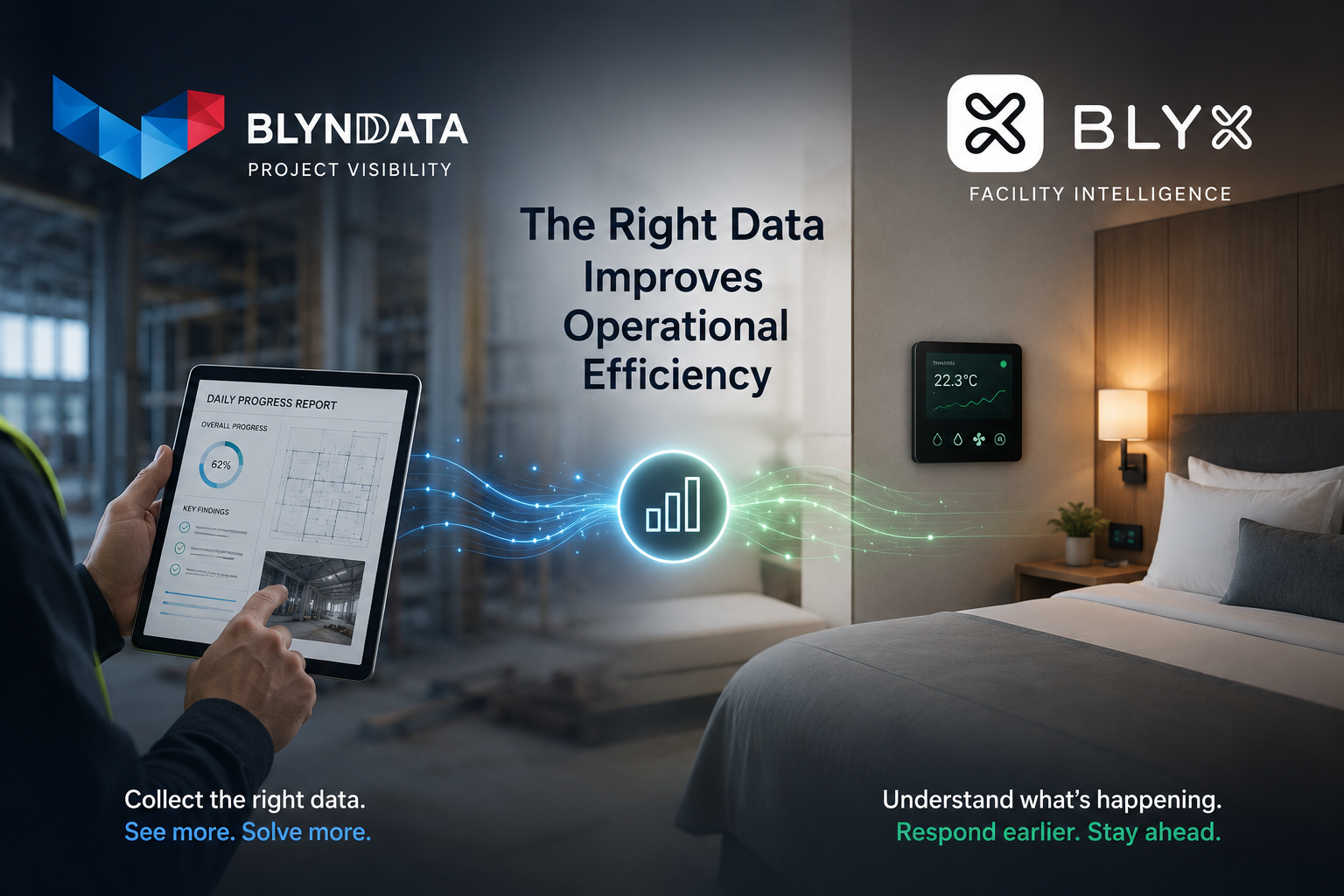
You increase transparency of information.
On a refurbishment project, Blynd Data helped change how information was collected during demolition works. Instead of waiting until demolition was complete before assessing conditions and planning renovations, room-condition data was collected daily and processed in real time by an offshore support team.
This meant the next stage of works could start being planned while demolition was still underway. Material requirements, recurring issues and future workloads became visible earlier, allowing the project to move more proactively and efficiently.
This same thinking is the foundation of Blyx.
Blyx helps facilities understand what is happening inside rooms in real time — temperature, humidity, HVAC performance, housekeeping activity and maintenance patterns — so issues can be identified before they become guest complaints.
Two completely different scenarios. One very similar principle.
The right data, collected at the right time and presented in the right context, changes management from reactive and slow… to proactive and efficient.
We recently wrote an article exploring this concept further and how operational visibility can completely change outcomes.
Better Data Creates Better Decisions
Most operational problems are not caused by people doing the wrong thing.
More often than not, they happen because the right information is either missing, delayed, isolated, or difficult to see clearly. Small gaps in visibility create inefficiencies that compound over time.
At Blynd Data, we spend a lot of time looking at how businesses operate day to day and identifying where small changes to data collection and workflows can create very different outcomes. Sometimes the impact can be much bigger than expected.
Small Process Changes
A good example of this is refurbishment or renovation projects in remote locations.
Often a crew is brought in to complete demolition or strip-out works before the next stage of renovations begins. The challenge is that there is usually a gap between demolition being completed and the next scope of work being properly planned, approved or ready to start.
In hot and remote environments, productivity also naturally drops as fatigue builds across a swing — especially when teams are pushed through extreme heat conditions all day.
Sometimes the better outcome is not pushing harder. It is changing the process slightly.
Instead of having the crew continue physical demolition work through the hottest parts of the day, a portion of that time could be redirected into collecting structured room-condition and dilapidation data.
Using very simple tick-box style reporting forms, crews can quickly capture the condition of rooms, identify missing or damaged items, and flag issues that will impact the next stage of works. The structured tick-box format also removes a lot of the confusion that comes with handwritten reports — there is less back and forward trying to interpret handwriting, clarify notes or confirm what was actually reported. The completed reports can then simply be scanned or photographed at the end of the day and sent to an offshore support team to process into a live master database and reporting system.
This creates several advantages at the same time:
- the crew maintains productive output throughout the day
- physical fatigue and heat stress are reduced
- the client gains daily visibility of project progress
- future material requirements and work scopes become easier to forecast
- planning for the next stages of work can begin earlier
Most importantly, the data starts creating transparency around what is really happening on the project.
Rather than waiting until the end of a stage to understand issues, bottlenecks or opportunities, the information becomes visible in real time. That visibility allows both the client and contractor to make faster and more effective decisions.
Visibility Changes Outcomes
Every day, the client could see:
- how many rooms had been completed
- what condition issues were appearing most frequently
- what materials would likely need ordering
- where future bottlenecks may occur
- how renovation planning should be adjusted
The reporting then evolved into tracking installation progress as the project moved into renovation stages. The same team completed simple completion cards daily, which were processed into the same master database.
The result was not just better reporting.
The result was operational transparency.
The client could see progress clearly. Decisions could be made earlier. Planning became proactive rather than reactive.
Most importantly, the crew were able to demonstrate ongoing value because they could clearly show both completed work and the future pipeline of work still required.
What was initially expected to be a six-week project ultimately extended to fifteen weeks.
Not because of more labour.
Because of better visibility.
The Blynd Data Approach
This is really what Blynd Data is about.
Helping businesses collect, structure and process the right information so local teams can operate more efficiently and focus on the higher-value work that drives outcomes.
The goal is not simply “more data.”
The goal is useful data presented in a way that helps people make faster and better decisions.
Sometimes the biggest operational improvements come from very small workflow changes.
How This Relates to Blyx
Blyx was developed from this same way of thinking.
Facilities already contain huge amounts of information:
- access events
- room usage
- HVAC activity
- temperature and humidity trends
- maintenance activity
- housekeeping schedules
- energy consumption
The problem is that most systems operate independently, meaning the data only tells part of the story.
Blyx connects these data points together to create operational visibility in real time.
For example:
- Blyx can trigger an AC unit before guest arrival and monitor whether the room temperature is actually responding, helping identify failing systems before a complaint is made.
- It can identify when a room is approaching check-in time but housekeeping or maintenance staff have not yet accessed the room, allowing the facility to proactively respond before the guest arrives.
- Temperature, humidity and occupancy data together can help identify conditions that may lead to mould, excessive energy use or equipment failure.
Individually, each data point is useful.
Connected together, they become operational intelligence.
At both Blynd Data and Blyx, the focus is the same:
Collect the right information.
Make it transparent.
Present it in a format people can actually use.
Because when the right data is connected properly, businesses can move from reacting to problems… to proactively managing outcomes.
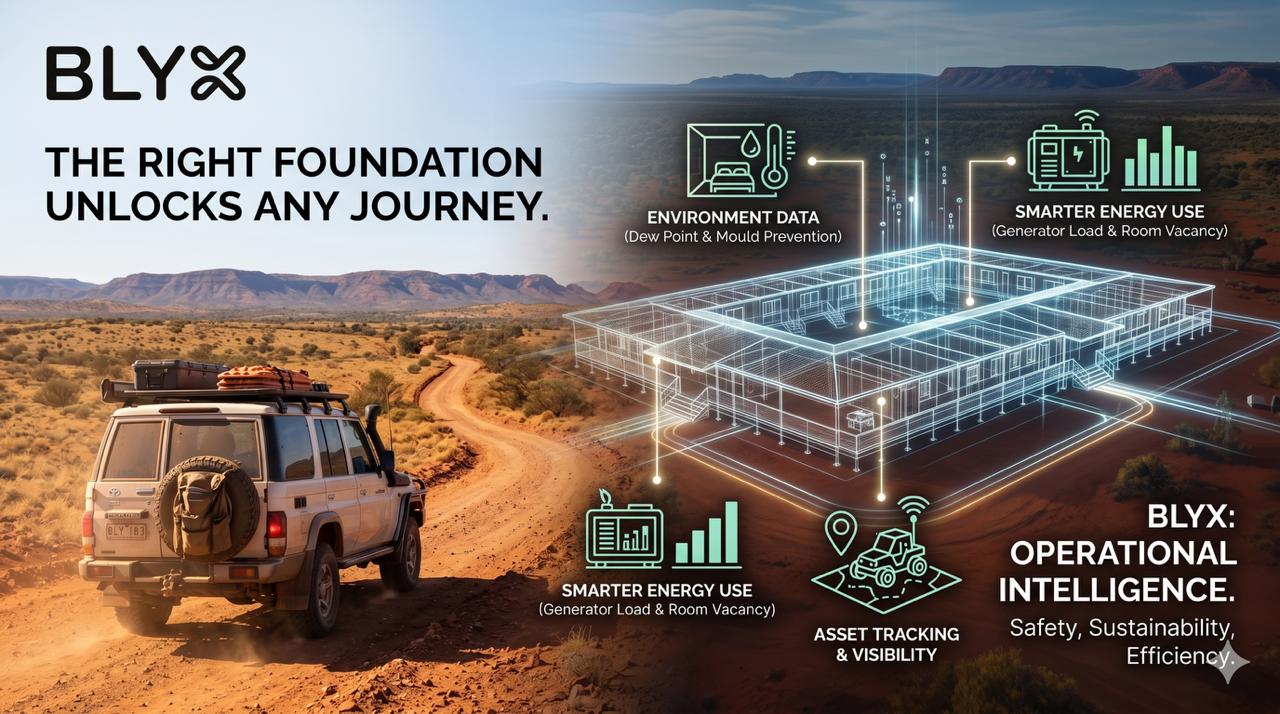
Fit for Purpose – System
When hardware is reliable and software is easy to use, something powerful happens — the system starts creating visibility across the entire facility.
Instead of reacting to issues, teams can:
- See what’s happening in real time
- Automate routine actions
- Identify risks before they impact guests
From room conditions and energy use to asset tracking and guest communication, the system becomes a foundation for safer, more efficient, and better-run facilities.
Because when you can actually see what’s going on,
you can start to improve it
Unlocking Operational Intelligence
In the first two articles in this series we looked at two important questions when selecting an access control system for remote accommodation facilities.
1 — Can the system survive the environment?
Hardware must be robust enough to operate reliably in harsh conditions.
2 — Can the people on site actually operate it safely every day?
Software must be simple, clear and designed for the people who use it.
When those two foundations are in place, something much more interesting begins to happen.
The system stops being something you simply install.
It becomes something you can build on.
Because once reliable hardware and intuitive software are working together, the data and control they provide begin to unlock new ways to improve how the entire facility operates.
The Journey Can Finally Begin
Throughout this series we’ve used the analogy of choosing the right vehicle.
Selecting the right vehicle for the environment is essential. A car designed for city driving may struggle on rough outback tracks.
But even the best vehicle won’t get very far if the driver doesn’t understand how to operate it.
When you finally have both — the right vehicle and capable drivers — the possibilities suddenly open up.
Now the journey can begin.
Access control systems work in much the same way.
Once the hardware performs reliably and the software is easy for people to operate, the system can begin doing far more than simply opening doors.
What makes Blyx different is that the system is constantly collecting and understanding data about how the facility is actually operating — who is in a room, when spaces are used, and how environmental conditions are behaving.
That information allows the system to support decisions, automate routine actions, and highlight situations that need attention.
Safety, sustainability, operational efficiency and guest experience can all begin to improve — not just because the doors work, but because the system now understands what is happening across the facility.
As the system grows, the Blyx Device Controller enables additional data to be captured from other equipment and external data sources — building a clearer picture over time without adding complexity.
And when that picture becomes clearer,
decisions improve, automation becomes more effective, and changes can be made with confidence — not assumption.
Safety Beyond the Door
Security at the door is only one aspect of safety in remote accommodation.
Guest wellbeing is also influenced by the environment they are living in.
Are the room conditions healthy?
Is equipment operating correctly?
Are potential issues identified before they affect guests?
The Blyx Environment Controller provides visibility into room conditions such as temperature and humidity.
When monitored over time, this data can reveal patterns that may indicate developing issues — particularly conditions that may lead to mould formation.
For example, temperature and humidity data can be used to calculate dew point conditions within a room. When these conditions persist for extended periods, they can signal an environment where mould may begin to develop.
Instead of discovering this after a guest complaint, facilities can identify the warning signs early and take action.
In some cases the system can even assist with the solution.
Because Blyx can also control air-conditioning units, the system can automatically adjust the room environment when conditions move outside acceptable ranges.
The result is a more proactive approach to maintaining safe and healthy accommodation conditions.
Sustainability Through Smarter Energy Use
Energy consumption is a major challenge for remote accommodation facilities, particularly where power is generated on site.
Air-conditioning and hot water systems are often the largest contributors to energy demand.
By combining access activity, human presence detection and environmental data, the Blyx system can determine when rooms are genuinely vacant.
This allows air-conditioning systems to automatically switch to energy-saving settings when rooms are not in use, significantly reducing wasted power.
But the opportunity extends beyond individual rooms.
Many remote facilities rely on generator power. Managing generator load effectively is critical for both fuel efficiency and equipment performance.
With greater visibility of how buildings are actually being used — and the ability to control major electrical loads — facilities can begin to manage energy demand much more intelligently.
Systems such as hot water services or air-conditioning units can be coordinated based on actual facility usage rather than simply running continuously.
This allows generators to operate more efficiently while still maintaining comfort for guests.
Operational Efficiency Through Better Visibility
Modern vehicles have evolved from simple reversing sensors to surround-view cameras that allow the driver to see everything happening around the vehicle.
The more visibility a driver has, the easier it is to make safe and confident decisions.
The Blyx system brings the same concept to the operation of an accommodation facility.
Through the Blyx digital twin, teams can see what is happening across the site in real time — including access activity, room status and environmental conditions.
But Blyx can also extend that visibility beyond rooms and buildings.
Using Bluetooth beacon technology, the system can track the location of important assets and equipment across the facility.
This might include items such as:
- physical key sets
- cleaning trolleys
- maintenance buggies
- mobile equipment used by site teams
Instead of searching for where something might be, staff can quickly see where assets are located and where they have recently been.
That visibility allows teams to plan work more efficiently and respond faster when something needs attention. If an issue occurs, the system can help identify the closest person or equipment available to respond.
Just like the surround-view camera in a vehicle gives the driver a better understanding of their surroundings, the Blyx system gives facility teams a clearer picture of what is happening across the entire site — helping them make faster and more informed operational decisions.
Improving the Guest Experience
Remote accommodation facilities are not just workplaces — they are also temporary homes for the people staying there.
Access to clear information and communication can play an important role in helping guests feel safe and comfortable.
The Blyx App provides guests with a central place to access important facility information, including:
- wayfinding maps
- safety procedures
- contact information
- dining schedules and menus
- site updates and announcements
But communication also works in the other direction.
Guests can share important information with the facility such as dietary requirements, medical considerations or feedback about their stay.
This two-way communication helps ensure guests have access to the information they need while also allowing facilities to better understand and respond to guest needs.
When the Right Foundations Are in Place
These examples are only the beginning.
Once reliable hardware and intuitive software are in place, the system begins generating data and operational insight that can continuously improve how the facility runs.
New opportunities emerge as more data is collected, understood and used.
Just like a capable vehicle with an experienced driver, the system becomes something that allows the facility to explore new possibilities rather than simply maintain the status quo.
The Road Ahead
The Australian outback is an unforgiving environment.
The wrong equipment can stop a journey before it even begins.
But with the right vehicle — and people who know how to drive it — entirely new paths open up.
That’s exactly what happens when reliable hardware and intuitive software come together in a facility.
The system stops being something you install.
It becomes something you build on-
a foundation for understanding, improving, and continuously evolving how the facility operates.
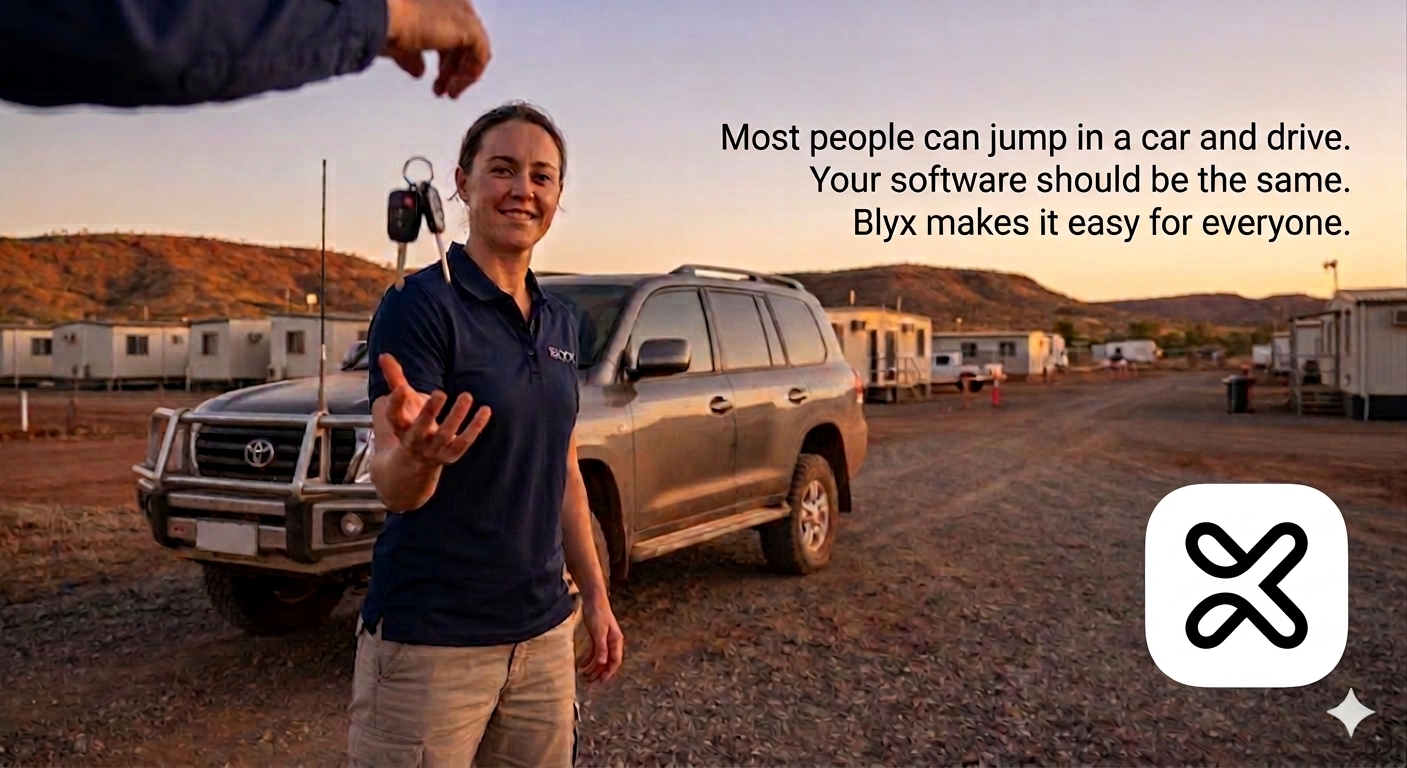
Fit for Purpose – Software
In remote accommodation, the challenge isn’t just installing the system — it’s making sure the people on site can use it confidently every day.
When software is designed properly, it simplifies complex data, highlights what matters, and helps prevent issues before they happen.
Because the goal isn’t just to run the system.
It’s to support the people running the facility.
Software anyone can operate
Fit-For-Purpose Software
In the previous article we explored why access control hardware needs to be built for the environment.
In remote accommodation villages, the conditions are very different from hotels or office buildings. Equipment needs to handle dust, heat, long distances and limited maintenance support.
It’s a bit like choosing a vehicle for remote work.
Not every car is built for the outback. Some vehicles simply won’t survive the conditions. But choosing the right vehicle isn’t only about durability — it’s also about keeping the people inside safe and comfortable while they travel.
The same principle applies to access control systems.
Selecting the right hardware ensures the system can operate reliably in the environment.
But the software determines whether the people using the system can actually operate it safely and confidently every day.
And that’s where many systems fall short.
When a new accommodation facility is designed, the specification often simply states “electronic access control” with a budget attached. The design team focuses on how the system will be installed — cabling, doors, readers and infrastructure.
But the people selecting the system are rarely the people who will operate it every day.
Front-of-house teams, maintenance staff and site managers are the ones who will be driving the vehicle.
If the software is confusing, difficult to navigate or easy to make mistakes in, the system quickly becomes a burden rather than a benefit.
Choosing the right system is not just about installation.
It’s about making sure the right people can safely drive it.
The Vehicle Analogy
Think about how you drive a car.
You don’t spend your time thinking about the engine, the fuel injectors or the gearbox.
You focus on the road ahead.
The vehicle quietly handles the complex engineering in the background and only tells you when something needs your attention.
You rely on three things:
- Fuel to keep the car running
- The dashboard to show you what’s happening
- Driver assistance features to help with simple tasks
Good software works in exactly the same way.
Fuel: Knowing What the System Needs to Do
Fuel is the essential ingredient that allows a vehicle to go anywhere.
Without it, nothing else matters.
In the Blyx system, access control plays a similar role.
Not simply because it opens doors, but because it tells the system something critical: who should be in a room and what the system should expect to happen there.
That information becomes the starting point for everything else.
If the system knows a room is occupied, vacant, awaiting a guest or unexpectedly active, it can respond appropriately — triggering automation, highlighting anomalies or guiding staff decisions.
For example, imagine a front-of-house team member assigning a room to an unexpected guest.
The room management system shows the previous guest checked out that morning, so the room appears available.
But the guest actually extended their stay and is still inside.
With a traditional system, that mistake may only become obvious when the new guest opens the door.
Blyx helps identify the problem earlier.
Before assigning access, the system checks whether access permissions already exist. If they do, staff are prompted to confirm whether the existing access should be changed. Because the system can also detect human presence, it can warn the user that someone may still be inside the room.
Just like a vehicle warns the driver that fuel is running low long before the tank is empty, the Blyx software highlights potential issues early — supporting the people operating the facility and reducing the chance of mistakes before they occur.
The Dashboard: Seeing What Matters
When you drive a car, you are focused on the road.
You rely on the dashboard to tell you if something needs attention.
It might be something simple — like low washer fluid — or something more serious like a check-engine warning.
The important thing is that the vehicle turns complex data into simple information the driver can understand immediately.
And ideally, it warns you while the issue is still manageable — not once you are already stranded on the side of the road.
Blyx software follows the same philosophy.
The Blyx Dashboard presents the accommodation facility as a live digital map that mirrors the real layout of the site.
Rooms are colour-coded to show their status:
- Reserved
- Occupied
- Vacant
- Out of service
At a glance, staff can immediately see what is happening across the facility.
But the system also highlights situations that don’t look right.
For example:
- A guest who was expected to check in has not arrived
- Human presence is detected in a room without a reservation
- Environmental sensors detect abnormal conditions in a room
- A chemical storage area reports dangerous air quality levels
Individually, these pieces of data may not mean much.
But when the system places them in the right operational context, they become clear signals that something needs attention.
Instead of reacting to problems after they occur, teams can see early warning signs and respond proactively.
Driver Assistance: Automation That Helps
Modern vehicles don’t just provide information.
They also assist the driver.
Headlights automatically switch on when it becomes dark.
Rain sensors activate the windscreen wipers when it begins to rain.
Drivers can still control these functions themselves — but the vehicle helps handle simple tasks so the driver can focus on the road.
Blyx software provides similar assistance.
A common example in accommodation facilities is air-conditioning management.
Staff are often asked to turn off AC units when they notice they have been left running in vacant rooms. While this sounds simple, it relies on someone noticing the situation and remembering to act.
With Blyx, the system can combine multiple sources of information:
- access activity
- human presence detection
- room environmental data
From this data the system can determine when a room has likely been vacant for an extended period.
When this occurs, the system can automatically adjust the AC settings to reduce unnecessary energy use while still maintaining acceptable room conditions.
If the guest returns, the room conditions can be restored automatically.
Just like automatic headlights or wipers, this doesn’t remove manual control.
It simply provides an “auto mode” that quietly assists staff by handling routine situations consistently.
Instead of relying on someone to remember every small task, the system helps take care of them.
Choosing the Right Vehicle
Selecting an access control system is a lot like choosing the right vehicle.
First, it needs to be capable of operating in the environment.
That’s the hardware.
But it also needs to be something the people on site can drive confidently every day.
That’s the software.
The best systems are safe, clear and simple to operate — allowing more people on the team to use them effectively.
And just like driving a well-designed vehicle, the goal is simple:
You should be able to get in, start the system and focus on where you need to go — confident that it will help you get there safely.
In the next article we’ll explore what becomes possible once both the hardware and software are working together effectively.
Because when the system is reliable and easy to operate, facilities can begin to unlock a much wider range of operational improvements.

Fit for Purpose – Hardware
Many are designed for hotels — then adapted to remote sites where heat, dust and limited support quickly expose their weaknesses.
The result?
Systems that introduce new risks while trying to solve old ones.
When access control is designed for the environment, it becomes simpler, more reliable, and safer — for both guests and staff.
Because in remote accommodation, it’s not about what works in theory. It’s about what actually works on site.
Built for It. Or Just Made to Work?
Are We Using the Right Access Control for Remote Accommodation?
Access control systems are often chosen simply because they are available — not necessarily because they are designed for the environment they are being installed into.
Let’s start with a simple question.
If you were heading deep into the Australian outback, driving along unsealed roads that can quickly turn to mud after rain, what sort of vehicle would you take?
You probably wouldn’t choose a small city hatchback.
Not because it’s a bad car.
City cars are excellent — for commuting through traffic, parking in tight spaces, and getting around urban environments.
But they weren’t designed for rough terrain.
The same applies to technology.
Technology itself isn’t the problem.
In fact, many access control systems are well-designed — for the environments they were originally built for.
The challenge is when those same systems are placed into conditions they were never designed to handle.
Remote accommodation sites introduce a completely different set of demands — heat, dust, exposure, and limited maintenance support.
A solution that works perfectly in a hotel corridor can quickly become unreliable when exposed to these conditions every day.
The system hasn’t failed.
It’s simply being asked to operate outside of its intended environment.
The Square Peg Problem
Hotels typically operate in environments that look like this:
- Controlled indoor conditions
- Short guest stays
- Staff on reception 24/7
- Stable power and network infrastructure
Remote accommodation environments look very different:
- Harsh climates
- Dust, heat and weather exposure
- Large numbers of rooms
- Limited maintenance resources
- Guests working long shifts
Yet many facilities are still installing hotel-style wireless door handles because that’s what the market has offered for years.
It works.
But it’s often a bit like taking a city car onto an outback track.
You might get there — but it’s not really what the vehicle was designed for.
The Original Problem: Lost Keys
The push toward electronic access control in mining accommodation largely came from security concerns, particularly around protecting vulnerable guests.
One of the biggest issues was the humble room key.
Keys go missing.
Spare keys appear.
New copies get cut.
Eventually, nobody is entirely sure who might still have access to a room.
For someone staying in a remote camp — especially if they already feel vulnerable — the idea that someone else might still have a key to their room is deeply uncomfortable.
The correct response to a lost key is simple: replace the lock barrel.
But when facilities are busy, that task often gets delayed.
So the industry looked for a solution.
Electronic access control seemed like the obvious answer.
“Let’s Just Get Rid of Keys”
At first glance, wireless electronic door handles appear to solve the problem.
No keys.
Just swipe cards or mobile apps.
Problem solved… right?
Not quite.
Many wireless access systems actually store access on the swipe card itself.
That means the card tells the lock to open.
If that card is lost, whoever finds it can still use it until it expires.
Sound familiar?
It’s not that different from losing a key and someone finding the spare.
The risk may be reduced slightly — but it’s not eliminated.
New Technology, New Problems
While trying to solve one issue, wireless systems often introduce a few new ones.
Electronics can fail.
And remote accommodation is not a friendly place for electronics.
Think about where many wireless handles live:
- Electronics inside metal handles
• Mounted on external doors
• Exposed to Australian heat, wind, dust and even salt
• Running on batteries
Now add:
- unreliable Wi-Fi connections
• battery replacements
• overheating electronics
Eventually something stops working.
And when electronics are the only way to access the room, a simple question appears:
How do you get in when they stop working?
Many systems don’t have a proper key override.
So maintenance ends up doing the unthinkable:
breaking into the room.
Now we’ve solved one security concern while creating another.
Because if the system requires maintenance to force entry when electronics fail, then by definition the room must be able to be forced open.
And if maintenance can get in that way, someone else probably can too.
The system that was meant to improve safety can unintentionally introduce a new vulnerability.
New Technology, New Problems
While trying to solve one issue, wireless systems often introduce a few new ones.
Electronics can fail.
And remote accommodation is not a friendly place for electronics.
Think about where many wireless handles live:
- Electronics inside metal handles
- Mounted on external doors
- Exposed to Australian heat, wind, dust and even salt
- Running on batteries
Now add:
- unreliable Wi-Fi connections
- battery replacements
- overheating electronics
Eventually something stops working.
And when electronics are the only way to access the room, a simple question appears:
How do you get in when they stop working?
Many systems don’t have a proper key override.
So maintenance ends up doing the unthinkable:
breaking into the room.
Now we’ve solved one security concern while creating another.
Because if the system requires maintenance to force entry when electronics fail, then by definition the room must be able to be forced open.
And if maintenance can get in that way, someone else probably can too.
The system that was meant to improve safety can unintentionally introduce a new vulnerability.
What Was the Real Goal?
Security wasn’t the only reason electronic access control was introduced.
Administrative efficiency was another driver.
Reception teams spend time:
- preparing keys
- replacing lost keys
- looking for keys
- letting locked-out guests into rooms
- changing lock barrels
Electronic systems were meant to reduce this workload.
But often guests still need to:
- visit reception to find out their room allocation
- collect a programmed card
- return if their room changes and the card needs reprogramming
And, maintenance still gets called when electronics fail.
So the workload hasn’t disappeared.
It’s just changed shape.
What Does “Fit for Purpose” Actually Mean?
When we look at both of these scenarios — security and administration — a bigger question starts to emerge.
What does an access control system actually need to do in a remote accommodation environment?
It needs to:
- Allow reliable access in harsh environments
• Maintain security even when electronics fail
• Provide simple recovery when keys are lost
• Reduce administrative workload
• Work reliably with limited maintenance support
• Be simple for guests to use
And most importantly…
it must not introduce new risks while solving old ones.
Why Blyx Takes a Different Approach
Instead of trying to make a wireless door handle survive in a harsh environment, Blyx separates the system into its key components.
The Blyx Device Controller — the electronics — is installed inside the room, safely protected from weather and extreme temperatures.
Access is then managed through an electric striker in the door frame and an external RFID reader.
This design means the door handle itself contains no electronics at all.
It remains a simple mechanical handle with no wiring passing through the door and no electronic components attached to moving parts — two of the most common causes of failure in many wireless handle systems.
Because of this, sites can choose the most durable mechanical handle for their environment without being limited by electronic lock hardware.
And that creates a very important benefit.
If the electronics ever fail, the physical key still works.
The key simply retracts the latch, bypassing the electric striker entirely.
No breaking windows.
No forced entry.
Just open the door.
Fixing the Key Problem Properly
Blyx also addresses the original issue that started the whole conversation: lost keys.
By using Bi-Lock Quick Change Cores, lock barrels can be replaced in minutes without dismantling door hardware.
If a key is lost, the barrel is simply swapped out.
The old key becomes useless immediately.
Bi-Lock systems also remove the problem of spare keys circulating unnoticed. Each key is individually controlled, so if one goes missing there is only one option — replace the core.
The risk disappears instantly.
Even master key systems can be re-sequenced quickly and efficiently.
Security risk solved — without introducing new ones.
Reliability Where It Matters
Blyx devices are powered using PoE network cabling, providing both power and data through a durable wired connection.
This removes many of the common failure points found in wireless systems:
- battery failures
• unreliable Wi-Fi at the door
• overheating electronics
Instead of relying on a tiny wireless computer inside every door handle, Blyx uses robust infrastructure designed for reliability and safely located within the room.
Better for Staff. Better for Guests.
Because access permissions are stored on the door controller — not the swipe card — guests can reuse the same card for future visits.
Rooms can be assigned automatically through integrations with accommodation booking systems.
Guests can receive a booking confirmation before they arrive on site via email, SMS, or the Blyx App, telling them their room number and how they will access it.
They simply arrive and go straight to their room.
Reception no longer needs to prepare access cards for every check-in.
Maintenance teams benefit too:
• fewer electronic failures
• simpler repairs
• no forced entry when systems fail
• remote unlocking from reception when guests are locked out
And Yes — Guests Still Get the Fancy Stuff
Guests can still choose how they want to access their room.
They can use:
- a physical key
• an RFID card or tag
• the Blyx mobile app
But unlike many access apps, the Blyx app is designed to be useful — not just a digital key.
Guests can access:
- site information
• Wi-Fi details
• emergency contacts
• facility maps
• announcements and updates
• the dinner menu
All in one place.
Choosing the Right Vehicle
Electronic access control can absolutely improve security, efficiency and guest experience.
But only if the system is designed for the environment it operates in.
City cars are excellent.
Off-road vehicles are excellent.
But if you’re heading into the outback… you probably want the vehicle that was built for it.
Blyx access control is designed specifically for the unique demands of remote accommodation facilities.
Because when the system fits the purpose, everything works better.
And That’s Only the Beginning
Designing reliable hardware is only the first step.
Once the system can operate reliably in harsh environments, the next question becomes:
How easy is it for the people on site to actually use it?
That’s where software design becomes just as important.
In the next article, we explore why access control software needs to be built very differently for accommodation facilities.
support & onboarding
Real people, real support.
SUPPORT &
ONBOARDING
Real People, Real Support.
At Blyx, everything we do is built around making life easier - and creating real savings in time, labour, efficiency, and money. This isn’t just another system to bolt on; it’s a platform designed to fit into your world, improve how you operate, and support your team every step of the way.